Hermes Agent Guide: Setup, Hardening & 24/7 Automation

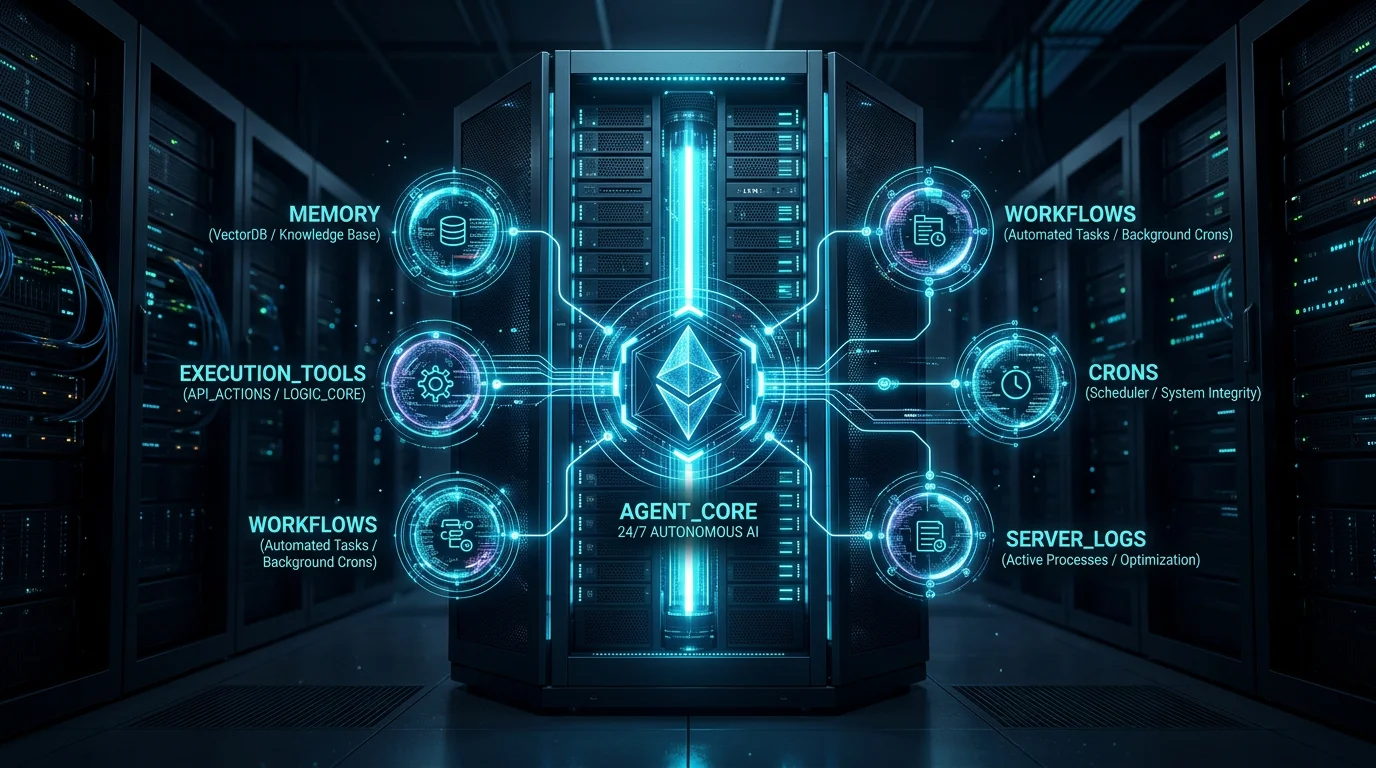
Most AI workflows in 2026 remain constrained by ephemeral state. You open a browser window, type a prompt, parse the response, and close the session. The moment the connection closes, the assistant's working context evaporates. Hermes Agent inverts this interaction model. Instead of an on-demand chat box waiting for human input, Hermes operates as an autonomous, persistent daemon designed to run 24/7 on a dedicated Linux virtual server. It triages incoming communications, executes multi-step project tasks, compiles its own reusable instruction skills when encountering repetitive roadblocks, and maintains state across weeks of active operation. This guide walks through the architectural mechanics of Hermes, how to harden its execution perimeter against security vulnerabilities, and how to configure a resilient autonomous assistant from day one.
Step-by-Step Guide
- Provision a Linux cloud VPS (Ubuntu 22.04 LTS or newer with 2 vCPU and 4GB RAM) and run the official Hermes bootstrap installation script.
- Access the server via SSH and configure core runtime parameters in the interactive TUI (select Claude 3.5 Sonnet or GPT-4o, set max iterations to 90, and enable 0.8 context compression).
- Create a private Telegram Bot via @BotFather, retrieve your personal numeric Telegram ID from @userinfobot, and restrict bot access to your account.
- Initialize an automated Git backup routine pointing to a private GitHub repository to persist markdown skills and memory documents.
- Authenticate your everyday productivity apps (Gmail, Google Calendar, Notion, Slack) using Composio and schedule your first proactive morning triage routine.
The Mental Model: What Is Hermes Agent?
Think of Hermes Agent as an operating system and long-term memory layer wrapped around frontier Large Language Models (LLMs)—such as Anthropic Claude 3.5 Sonnet, OpenAI GPT-4o, or Google Gemini 1.5 Pro. Rather than requiring you to remain tethered to an open terminal window or a dedicated desktop computer, Hermes lives inside a background daemon on a remote Virtual Private Server (VPS).
The architecture breaks down into four coordinated planes:
- The Reasoning Core: The underlying foundation model provides multi-step reasoning, semantic synthesis, and structured tool selection.
- The Execution Engine: Hermes manages conversational context windows, compresses token payloads, executes sandboxed shell utilities, and handles asynchronous error recovery.
- The Persistent Memory: Personal identity, behavioral constraints, and evolving project data are preserved directly on disk in structured, human-readable Markdown files.
- The Proactive Daemon: Built-in cron timers and background services allow Hermes to initiate contact, deliver scheduled briefings, and perform automated maintenance without waiting for a user prompt.
Hermes Agent vs. Alternative Automation Stacks
Selecting the right automation tool depends on whether your workload is deterministic (rigid logic) or adaptive (requires judgment, state memory, and conversational iteration). Here is how Hermes compares to other popular automation stacks:
| Dimension | Hermes Agent | Deterministic iPaaS (e.g., n8n) | Terminal Agents (Claude Code, OpenClaw) |
|---|---|---|---|
| Memory Model | Persistent across sessions via user.md and memory.md. |
Stateless per execution; variables scoped only to payload runs. | Ephemeral session memory; lost once local terminal is closed. |
| Initiative Model | Proactive & reactive; fires autonomous background crons. | Purely reactive; triggers on webhooks, polling, or schedules. | Reactive; awaits active developer typing in a CLI prompt. |
| Self-Learning Loop | Auto-generates and registers new markdown skills from repetitive tasks. | None; requires manual visual canvas node reconfiguration. | Relies on static prompt templates or predefined skills files. |
| Operating Host | Headless 24/7 cloud VPS (Ubuntu Linux). | Docker container, cloud cluster, or serverless workers. | Local developer workstation (Mac, Windows, Linux). |
| Ideal Use Case | 24/7 personal digital operator, background research, cross-app triage. | High-throughput rigid data pipelines (e.g. Stripe webhook to Postgres). | Deep coding iterations, code refactoring, and local git workflows. |
Rule of thumb: Use deterministic workflow engines like n8n when an operation must follow an identical step sequence every single time without variation. Deploy Hermes when tasks require semantic synthesis, conversational steering from your phone, and contextual memory that improves over time.
The 5 Architectural Pillars of Hermes
To collaborate effectively with Hermes, you need to understand the five core primitives governing its internal operation:
user.md & memory.md] --> Core((Hermes Engine)) P2[2. Modular Skills
Dynamic Context Injection] --> Core P3[3. Soul Persona
soul.md Behavioral Rules] --> Core P4[4. Proactive Crons
Autonomous Schedules] --> Core P5[5. Learning Loop
Skill Compilation on Disk] --> Core style Core fill:#0284c7,stroke:#38bdf8,stroke-width:2px,color:#fff style P1 fill:#1e293b,stroke:#64748b,stroke-width:1px,color:#fff style P2 fill:#1e293b,stroke:#64748b,stroke-width:1px,color:#fff style P3 fill:#1e293b,stroke:#64748b,stroke-width:1px,color:#fff style P4 fill:#1e293b,stroke:#64748b,stroke-width:1px,color:#fff style P5 fill:#1e293b,stroke:#64748b,stroke-width:1px,color:#fff
1. Persistent State Memory (user.md & memory.md)
Unlike standard web chats where context resets the moment you close the tab, Hermes maintains two foundational Markdown documents on its local filesystem:
user.md: Records your identity, role, preferred technical stacks, timezone, communication nuances, and hard operational boundaries.memory.md: Acts as an ongoing operational ledger. It stores project milestones, client parameters, server hostnames, and recurring context that the agent captures during daily conversations.
You never have to edit these files manually. During natural conversations, Hermes parses significant declarations and updates its own markdown records dynamically.
2. Modular Skills Architecture
A skill in Hermes is a structured Markdown document providing step-by-step instructions for executing a specific toolchain or workflow. Hermes includes over 90 verified core skills out of the box and supports hundreds of community integrations.
Dynamic Context Loading: To avoid wasting thousands of input tokens on every message, Hermes only loads the titles and single-sentence descriptions of available skills into its active prompt. It dynamically parses and injects the full skill instructions only when that specific workflow is invoked by a task.
3. Soul Governance (soul.md)
The soul.md configuration file dictates tone, communication style, and analytical behavior. If your agent is being overly chatty or omitting important technical rationale, you can recalibrate its posture instantly with a single conversational instruction:
"Update soul.md: Adopt a senior staff engineer persona. Prioritize direct, objective bullet points. Omit conversational pleasantries, and always provide architectural rationale for configuration modifications."
4. Autonomous Background Crons
A reactive assistant waits for you to type. A proactive assistant works while you sleep. Hermes includes an integrated scheduling engine that couples system cron daemons with natural language prompts. Whether it is triaging emails at 7:00 AM, scanning server access logs at midnight, or drafting weekly project summaries on Friday afternoons, Hermes initiates execution autonomously.
5. The Self-Improvement Loop
The defining capability of Hermes is its recursive skill generation. When Hermes executes a multi-step workflow that requires multiple trial-and-error iterations, it can evaluate its own solution, distill the successful procedure into a clean markdown document, and save it to its local skills directory. On subsequent requests, Hermes calls this compiled skill directly, executing the solution with near-zero latency and minimal token consumption.
Security Hardening: Operating with Guardrails
Granting an autonomous agent bash access and external tool integrations introduces real security responsibilities. A compromised server or an unchecked agent can inadvertently expose private credentials or run up catastrophic cloud bills. Follow these defensive practices before giving your agent broad autonomy:
| Threat Vector | Operational Risk | Mitigation Architecture |
|---|---|---|
| Indirect Prompt Injection | Malicious instructions embedded in incoming emails or web scrapes take over the agent. | Provision a dedicated agent email; require explicit approval thresholds before visiting unverified external URLs or running destructive bash commands. |
| Runaway Token Spending | The agent enters a recursive reasoning loop during a failing tool call, burning hundreds of dollars. | Set hard spending limits in your OpenAI/Anthropic provider dashboards; configure Hermes max_iterations to 90 and enable inactivity session resets. |
| Credential Exposure | API tokens or private SSH keys are leaked through conversational logs or prompt dumps. | Never paste raw tokens into chats. Use the dedicated CLI command hermes config set <KEY> <VALUE> and audit .gitignore files. |
| Accidental Data Destruction | Agent mistakenly overwrites local project code, system configurations, or database records. | Run Hermes under an unprivileged Linux user (never root); maintain daily automated Git syncs to a private repository. |
adduser hermes) with carefully scoped sudo rights. If Hermes needs to perform server maintenance, write isolated bash scripts that require targeted sudo permissions rather than granting universal root access.
Step-by-Step Installation & Configuration
Follow this end-to-end setup guide to deploy Hermes on a fresh Linux server:
Step 1: Provision Your Cloud Server
While Hermes can run on a local machine, a cloud VPS ensures uninterrupted 24/7 availability without relying on your home internet connection or draining your laptop battery.
- Hardware Specs: 2 vCPU, 4GB RAM, and 40GB SSD (Ubuntu 22.04 LTS or 24.04 LTS). Providers like Hetzner, DigitalOcean, or Hostinger offer this for $5–$8 per month.
- Initial Installation: Connect via SSH and run the official installation command:
# Download and execute the official Hermes agent bootstrap
curl -fsSL https://get.hermesagent.io | bash
Step 2: Launch the Terminal User Interface (TUI)
Once installation finishes, connect to your server and open Hermes:
# SSH into your VPS host
ssh hermes@<your-server-ip>

# Launch the interactive management interface
hermes
Step 3: Calibrate Core Runtime Parameters
Hermes presents an interactive configuration console. Use the arrow keys and Enter to calibrate these critical operational parameters:
- AI Provider: Anthropic / OpenAI / OpenRouter (Anthropic Claude 3.5 Sonnet is highly recommended for tool reliability)
- Terminal Backend: Local (Direct sandboxed shell execution)
- TTS Voice Engine: Edge TTS (Free, high-fidelity neural speech synthesis)
- Max Iterations:
90(Prevents infinite reasoning loops on complex failure states) - Tool Progress Mode:
All(Displays full step-by-step diagnostic reasoning in logs) - Context Compression:
0.8(Automatically compresses conversational history once the buffer reaches 80% capacity) - Session Reset:
Inactivity + Daily Reset(Maintains clean working memory and prevents stale token accumulation)
Why Context Compression Matters: As conversations progress, token counts compound rapidly. By setting the compression threshold to 0.8, Hermes summarizes older conversation turns while keeping critical system instructions and active task parameters intact, keeping your API bills low.
Remote Control: Connecting Telegram for Mobile Access
While the server TUI is great for maintenance, managing your agent from your smartphone via Telegram makes it a true on-the-go companion. You can send text instructions, dispatch voice notes, and receive real-time push alerts wherever you are.
Configuring Your Telegram Bot:
- Open Telegram and start a chat with the official
@BotFatheraccount. - Type
/newbotand follow the prompts to choose a display name and a unique username ending in_bot(e.g.,AlexPersonalHermes_bot). - Copy the resulting HTTP API token (format:
7123456789:ABCdefGhIJKlmNoPQRsTUVwxyZ). - Open a chat with
@userinfobotin Telegram to retrieve your personal numeric account ID (e.g.,987654321). - In Hermes, navigate to Messaging Backends → Telegram, paste your bot token, and add your numeric ID to the allowed users whitelist.
Self-Diagnostics Tip:
If your bot fails to respond to your initial message, connect to your server via SSH and send this diagnostic prompt:
"I connected the Telegram bot integration, but incoming messages are not being received. Perform a self-check on the messaging daemon and show me the active systemd logs."
Hermes will inspect the background service process, examine port bindings, and output targeted troubleshooting suggestions.
State Persistence & Automated Git Backups
Because Hermes continuously writes new skills, logs project updates, and refines your personal preferences, your agent's value compounds over time. If your cloud VPS encounters hardware corruption or is accidentally terminated, you lose all of those learned behaviors. Setting up an automated private GitHub backup ensures complete operational recovery in minutes.
Setup Sequence:
- Log into GitHub and create a new Private Repository named
hermes-agent-backup. - Navigate to Settings → Developer Settings → Personal Access Tokens → Fine-grained tokens.
- Generate a token scoped exclusively to the
hermes-agent-backuprepository withContents: Read and Writepermissions. - On your Hermes VPS, store the token via CLI:
bash
hermes config set GITHUB_TOKEN "ghp_yourPersonalAccessTokenHere" - Instruct your agent via Telegram or TUI:
Agent Prompt • Git Backup Configuration
"Initialize a remote git repository pointing to github.com/yourusername/hermes-agent-backup. Set up a daily cron routine to commit and push all skills, custom templates, and markdown memory files. Verify that .gitignore strictly excludes all API keys, .env credentials, and active tokens."
Extending Capabilities: Real-World Integrations via Composio
An AI agent isolated from your daily software stack is just another chat interface. To turn Hermes into a genuine autonomous assistant, connect it to your workplace tools—such as Gmail, Google Calendar, Notion, Slack, and Google Drive. Rather than requiring you to configure complicated custom OAuth redirect flows for every single API, Composio provides pre-authenticated connectors built specifically for AI agents.
Integration Steps:
- Create a free account at Composio.dev.
- In the Composio dashboard, select the services you want to authorize (e.g., Google Workspace, GitHub, Notion, Slack) and complete the standard one-click OAuth authorizations.
- Copy the API key generated in your Composio dashboard.
- On your Hermes VPS, link Composio:
bash
hermes config set COMPOSIO_API_KEY "your_composio_api_key" - Ask Hermes:
Verification Prompt
"Verify the Composio integration and list all tools currently available to you."
Tool Routing Optimization:
If Hermes ever defaults to a generic web search when asked about an email or calendar appointment, issue this routing rule:
"Update your tool routing rules: Whenever I ask you to check messages, calendar events, or drive files, always default to the Composio Google Workspace tools instead of web scraping."
5 Production Automation Blueprints to Deploy Today
Once Hermes is online, connected to Telegram, and authenticated with your apps, here are five battle-tested automation routines you can activate immediately:
7:00 AM Inbox Triage
Scans your connected email accounts, identifies high-priority emails, filters spam and promotional noise, and sends a bulleted action checklist directly to Telegram.
VPS Security & Hygiene Audit
Performs unattended health checks on your Linux VPS: audits open ports, scans failed SSH login attempts in /var/log/auth.log, and monitors disk storage.
Executive Morning Briefing
Combines calendar appointments, Slack mentions, urgent emails, and industry RSS feeds into a unified daily briefing delivered with synthesized audio narration.
Automated Receipt & Expense Filing
Monitors incoming email attachments for invoice PDFs and receipts, uploads files to Google Drive, and extracts line items into a Notion or Google Sheets ledger.
Operational Realities & Long-Term Maintenance
Running an autonomous agent 24/7 is not a set-it-and-forget-it novelty; it is lightweight infrastructure operations. Keep these three maintenance rules in mind:
- Prune
memory.mdPeriodically: Over months of heavy use, your agent's memory ledger will accumulate outdated facts (completed side projects, temporary passwords, expired client engagements). Once every quarter, run a quick review session:Quarterly Memory Pruning Prompt"Review your memory.md, list all facts older than 90 days, and ask me which ones to purge."
- Rotate API Credentials: Never leave active API keys unattended indefinitely. Rotate your Telegram bot token, Composio keys, and GitHub personal access tokens every 90 days.
- Start Constrained, Expand Incrementally: Do not grant Hermes unrestricted bash rights or write access to your primary email on day one. Start by having it perform read-only operations (e.g. summarizing emails, generating reports). Once you verify that its decision-making is reliable and its tool usage is predictable, gradually grant write permissions for drafting emails and updating calendars.
By starting with disciplined boundaries and solid security hygiene, you will build an assistant that steadily takes tedious work off your plate—freeing you up to focus on higher-leverage engineering and creative problem-solving.
Frequently Asked Questions
Can I run Hermes Agent on my local computer instead of a cloud VPS?
Yes, Hermes can run locally on macOS, Linux, or Windows (via WSL2). However, running on a local workstation means your agent will go offline whenever your computer goes to sleep, shuts down, or loses Wi-Fi connectivity. A cloud VPS ensures 24/7 uptime for automated morning crons and scheduled background audits.
What Large Language Model works best with Hermes Agent?
Anthropic Claude 3.5 Sonnet and OpenAI GPT-4o are the recommended frontier models. Hermes relies heavily on accurate multi-step tool calling, structured JSON output generation, and dynamic skill execution. Smaller open-weight models can be used via local Ollama or vLLM backends, but they exhibit higher error rates during complex multi-app workflows.
How does Hermes prevent prompt injection attacks from reading external emails?
Hermes isolates external text inside sanitized tool context windows, requires explicit confirmation before executing privileged system actions, and does not automatically execute unvetted bash commands found in third-party content. Furthermore, using a dedicated email address and scoping Composio access to specific folders minimizes the attack surface.
What happens if my VPS crashes or is deleted?
If you configured the automated private GitHub backup routine, all of your agent's learned skills, personal preferences in user.md, and ongoing ledgers in memory.md are safe. You can spin up a brand new VPS, run the bootstrap installer, and clone your private backup repository to restore full operational state in under five minutes.
For a deeper architectural breakdown of production agent orchestration, explore our practical guide to Agent Workflows with LLMs.
Read ArticleLearn how enterprise teams manage state machines, evaluators, and production routing in our Agentic Workflows in Production 2026 report.
Read ArticleValidate and format your custom Hermes JSON configuration files using our free developer JSON Validator utility.
Launch Tool